Two Ways to Purify
Two Processing Modes in EarPurifier
EarPurifier provides two complementary processing engines to purify audio and remove background music. Both deliver identical high quality, but they differ in where compute takes place:
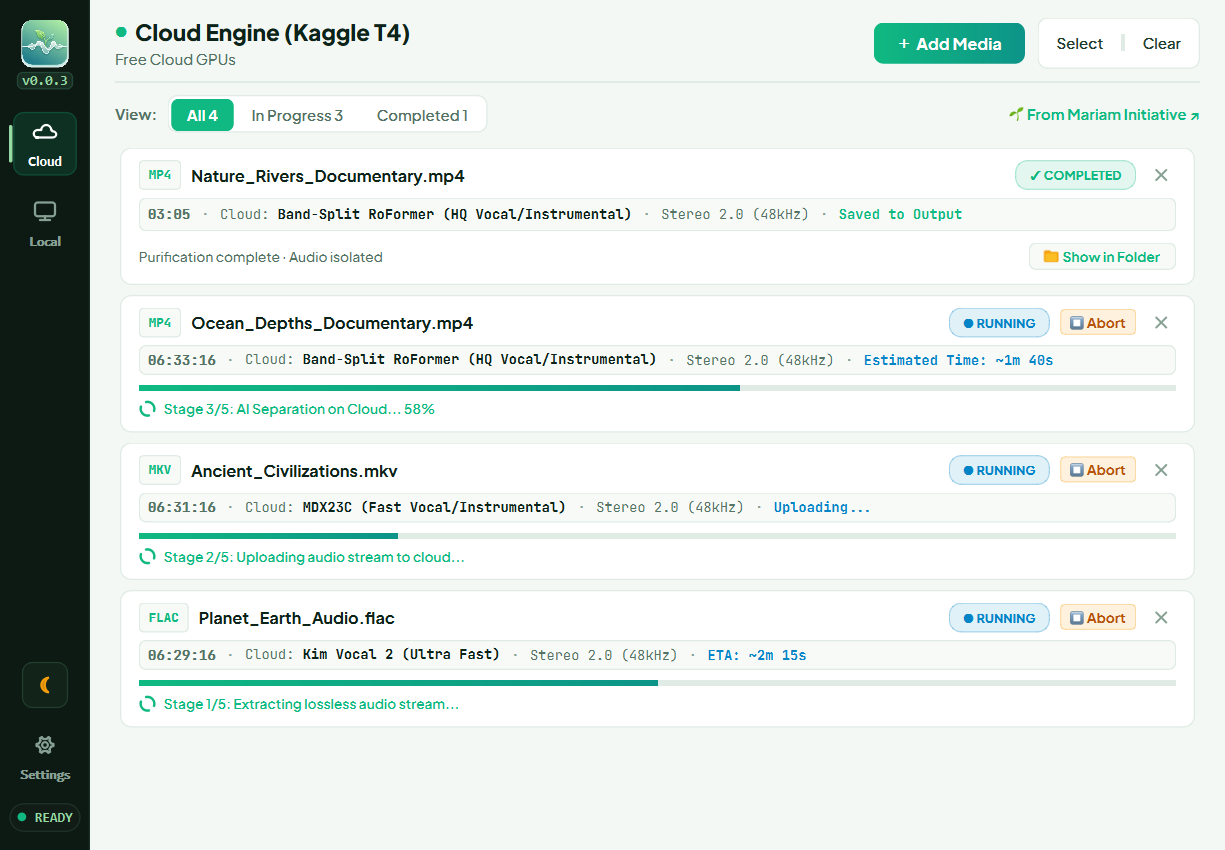
☁️ 1. Cloud Engine (Cloud Mode — Free Kaggle Cloud)
The Cloud Engine extracts only the audio track (never the large video stream) and securely uploads it to Kaggle cloud servers operated by Google. AI separation is performed remotely, after which EarPurifier downloads the purified stem and remuxes it into your original video locally.
Best for:
- Laptops, ultrabooks, and everyday desktop PCs lacking dedicated gaming/AI GPUs.
- Running the world's highest-fidelity model (RoFormer) at maximum speed without slowing down your system.
- Keeping your computer cool and preserving laptop battery life.
Requirements:
- An active internet connection (to upload and download the lightweight audio track, typically 20–150 MB).
- A free Kaggle account.
Do You Need Phone Verification on Kaggle?
- Phone-verified accounts: Receive 30 hours of free weekly GPU quota, unlocking the fastest models (RoFormer and MDX23C).
- Unverified accounts: You can still use Cloud Mode for free! Simply choose the Kim Vocal 2 model. Kim runs reliably on Kaggle's free CPU instances without requiring a verified phone number, delivering ~80% of RoFormer's vocal clarity at ultra-fast speeds (it takes slightly longer on CPU, but completes successfully).
Start here ← Kaggle Account & Setup
💻 2. Local Engine (Local Mode — 100% Offline)
The Local Engine runs all AI neural networks directly on your physical hardware without sending any data over the internet.
Best for:
- Users with dedicated NVIDIA GPUs (RTX 2060 or higher with 6GB+ VRAM).
- Completely air-gapped workstations or users with limited internet connectivity.
- Processing unlimited volumes of media without weekly quota limitations.
Requirements:
- Free disk space (to store the one-time model weights).
- Dedicated NVIDIA GPU (or choosing the ultra-light Kim Vocal 2 model for standard CPUs, which delivers 80% of RoFormer's quality fast).
Start here ← Setting Up Local Engine
Comparison Matrix
| Feature | Cloud Engine (Kaggle) | Local Engine (On-Device) |
|---|---|---|
| PC Hardware Requirements | Any computer (even basic laptops) | NVIDIA GPU recommended |
| Internet Required | Yes (audio track upload/download only) | No (100% offline after initial setup) |
| Usage Quota | Free via Kaggle | Unlimited hours |
| System Load | 0% CPU/GPU stress | High GPU/CPU utilization during run |
| Data Privacy | Cloud buffer automatically deleted upon completion | Files never leave your local drive |
Recommendation for New Users
If you are new to audio separation, we recommend starting with Cloud Mode. It requires zero heavy downloads on your drive and gives you studio-grade separation in minutes.